SEO for Schools: Guide to Improve Rankings and Admissions
Published: 26 May 2026
You’ve poured time, energy, and heart into your school website—crafted every page, shared every achievement, celebrated every success—but still, parents can’t find you online. It’s frustrating, almost heartbreaking, to watch your efforts go unnoticed.
The missing piece? SEO for schools.
Without it, your amazing content stays hidden in the shadows of search results.
In this article, we will discuss SEO for educational websites in detail to help your website get found by the families who matter most, drive more inquiries, and turn your digital presence into a powerful tool for growth.
Let’s get straight to the point and explore SEO for educational institutions.
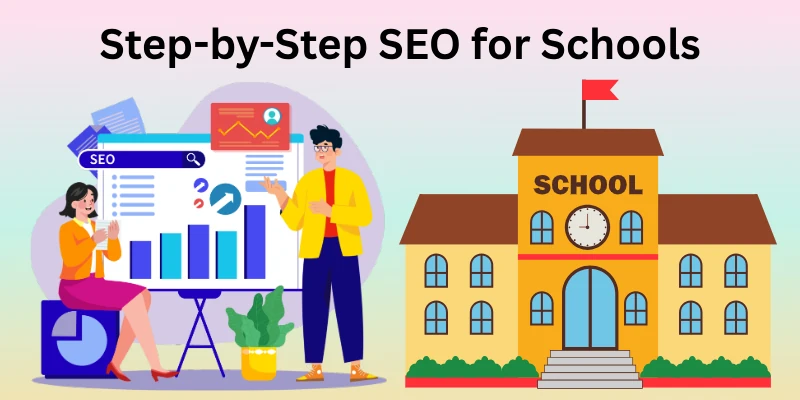
Step-by-Step SEO for Schools
Making your school easy to find online takes strategy. Follow these steps to improve your website and attract the right parents and students.
Step 1: Keyword Research for Schools
Keyword research is the first step to understanding what parents and students search for. Think about the questions they ask when looking for a school.
- Focus on phrases like “best school in [City]” or “private school near me”.
- Use long-tail keywords, such as “affordable preschool programs in [City],” to reach people closer to making a decision.
- Tools like Google Keyword Planner or Ubersuggest can help you find the right terms.
- Check competitors’ websites to see what keywords they rank for.
Keyword research helps you create content that answers real questions and attracts more visitors.
Step 2: Optimizing Page Titles
The page title is the first thing people see in search results. A clear, descriptive title can improve both clicks and rankings.
- Include your main keyword naturally, for example, “Bright Future Academy: Best Private School in New York.”
- Keep titles under 60 characters so they display correctly in search results.
- Make each page title unique; avoid repeating the same title across multiple pages.
A strong title tells parents exactly what your page is about and encourages them to click.
Step 3: Writing Strong Meta Descriptions
Meta descriptions appear under the page title in search results. They are your chance to invite visitors to your site.
- Keep descriptions between 150-160 characters.
- Include your main keyword and a clear benefit, like “Enrol your child in a school with top-rated teachers and modern facilities.”
- Write each meta description specifically for each page.
A well-written meta description improves the likelihood that parents will visit your site.
Step 4: SEO-Friendly URL Structure
Your website URLs should be simple and easy to read. Clean URLs help both visitors and search engines.
- Use short, descriptive words separated by hyphens, e.g., www.yourschool.com/admissions
- Include relevant keywords in the URL when possible
- Avoid long numbers, special characters, or random codes
Good URLs improve your site’s credibility and make it easier for people to navigate.
Step 5: Using Headings Properly (H1, H2, H3)
Headings organize your content and tell Google what your page is about. They also make it easier for parents to read.
- Use one H1 per page for the main topic, like “Admissions at Bright Future Academy”.
- Use H2s for subtopics, e.g., “Admission Requirements” or “Application Process”.
- Use H3s for smaller sections under H2s if needed, like “Step 1: Submit Documents”.
Proper headings improve readability and help your pages rank better.
Step 6: Creating Helpful Content for Parents
Content is how you show expertise and connect with parents. Create pages and articles that answer common questions.
- Include pages on admissions, curriculum, extracurricular activities, and school events.
- Start a blog with tips for parents, like “Preparing Your Child for Kindergarten”.
- Use clear, simple language. Avoid jargon or complicated terms.
- Update your content regularly with new programs or achievements.
Helpful content builds trust and keeps visitors coming back.
Step 7: Internal Linking for School Websites
Internal links connect your pages and guide visitors to important information. They also help search engines understand your site structure.
- Link related pages naturally, e.g., from “Admissions” to “Tuition Fees”.
- Use descriptive anchor text, like “See our extracurricular programs,” instead of “Click here.”
- Avoid too many links on a single page; focus on relevance.
Internal linking improves navigation and ensures visitors find all the important information about your school.
Step 8: Image Optimization
Images make your school website visually appealing, but they can slow it down if not optimized.
- Use compressed images to reduce file size without losing quality.
- Add ALT text that describes the image for accessibility and SEO, like “Bright Future Academy science lab.”
- Name image files clearly with keywords, e.g., kindergarten-classroom.jpg.
- Avoid using large images unnecessarily; smaller images load faster.
Optimized images improve page speed, make your site more accessible, and help search engines understand your content.
Step 9: Mobile Optimization
Most parents search for schools on their phones. A mobile-friendly site is essential.
- Use a responsive design so pages look good on any device.
- Make buttons and links easy to tap.
- Avoid pop-ups that cover the screen.
- Test your site on different devices to ensure it loads correctly.
A mobile-optimised site keeps visitors engaged and boosts your rankings on Google.
Step 10: Website Speed Optimization
A slow website frustrates visitors and can hurt your rankings. Speed is crucial for SEO.
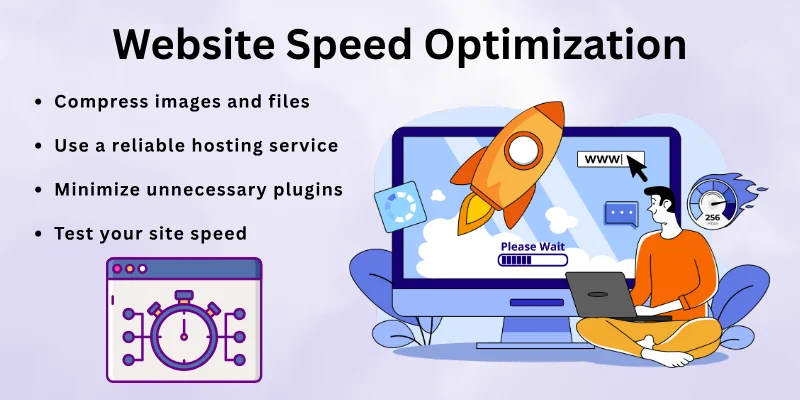
- Compress images and files.
- Use a reliable hosting service.
- Minimize unnecessary plugins or scripts.
- Test your site speed using Google PageSpeed Insights and follow suggestions.
Faster websites create a better experience for parents and encourage them to explore more pages.
Step 11: Technical SEO Basics
Technical SEO ensures search engines can crawl and index your site effectively.
- Install HTTPS for security.
- Create an XML sitemap and submit it to Google.
- Fix broken links and 404 errors.
- Make sure your website has clean, simple code for easy crawling.
Technical SEO forms the foundation for all other SEO efforts.
Step 12: Local SEO for Schools
Most parents search for schools near them. Local SEO helps your school appear in local search results.
- Set up and optimize your Google Business Profile.
- Ensure your school’s name, address, and phone number (NAP) are consistent across all platforms.
- Include location-based keywords, like “private school in [City].”
- Encourage reviews from parents to boost credibility.
Local SEO brings more inquiries from parents in your area.
Step 13: Building Trust with Backlinks
Backlinks are links from other websites pointing to your school. They signal authority to Google.
- Partner with local organizations, community websites, and educational blogs.
- Encourage alumni or parent blogs to link to your site.
- Avoid buying links; focus on earning them naturally.
- Guest posts on education-related websites can also help.
High-quality backlinks improve your site’s trustworthiness and search rankings.
Step 14: Tracking SEO Performance
Tracking your SEO results helps you know what’s working and what needs improvement.
- Use Google Analytics to monitor traffic, page views, and visitor behaviour.
- Use Google Search Console to track keyword rankings and site issues.
- Monitor conversions, like inquiries or application submissions.
- Adjust your strategy based on what the data shows.
Regular tracking ensures your SEO efforts bring real results for your school.
Common SEO Mistakes for Schools
Even with the best intentions, schools often make SEO mistakes that hurt their online visibility. Avoiding these pitfalls can save time and improve results.
- Ignoring Local SEO: Many schools focus only on general SEO and forget local searches. Parents usually look for schools nearby, so skipping local optimization means missing valuable inquiries.
- Duplicate Content: Copying the same content on multiple pages confuses search engines. Each page should have unique content that serves a specific purpose.
- Keyword Stuffing: Overusing keywords makes content hard to read and can lead to penalties. Use keywords naturally in titles, headings, and text.
- Slow or Outdated Websites: Old designs, large images, and heavy scripts slow down your site. A slow website frustrates parents and lowers rankings.
- Neglecting Mobile Users: Many schools don’t test their sites on phones. If your site isn’t mobile-friendly, visitors leave quickly, and Google may rank you lower.
- Poor Internal Linking: Without links between related pages, visitors may miss important information, and search engines may struggle to understand your site structure.
- Ignoring Analytics and Tracking: Some schools never check performance. Without data, it’s impossible to know which strategies work and where improvements are needed.
Avoiding these mistakes keeps your website professional, user-friendly, and visible to the right audience.
Tools for School SEO
Using the right tools makes SEO easier and more effective. Schools can save time, track results, and improve their online visibility by using these tools.
1. Google Search Console
- A free tool from Google that shows how your website appears in search results.
- Track keyword rankings, clicks, impressions, and indexing issues.
- Identify pages that need improvement and monitor technical errors.
2. Google Analytics
- Understand how visitors use your website.
- Track page views, bounce rates, and conversions, such as inquiry submissions.
- Helps you see which pages are most popular with parents and students.
3. SEMrush
- Paid tool for keyword research, backlink analysis, and competitor tracking.
- Provides insights into which keywords your competitors rank for.
- Monitors your site’s overall SEO health and identifies improvement opportunities.
4. Ubersuggest
- Simple, cost-effective keyword research tool.
- Suggests content ideas based on popular searches.
- Shows search volume, competition, and trends for school-related keywords.
5. Rank Math (for WordPress sites)
- Helps optimize individual pages for keywords.
- Suggests improvements for titles, meta descriptions, headings, and readability.
- Ideal for schools using WordPress and looking for an alternative to Yoast SEO.
6. Ahrefs Site Audit
- Checks your website for technical SEO issues.
- Detects broken links, duplicate content, and missing metadata.
- Provides actionable recommendations to improve search rankings.
7. Canva & WebP
- Canva helps create graphics, banners, and visuals optimized for web pages and social media.
- WebP format reduces image file size without losing quality, making pages load faster.
- Optimized images improve user experience and search rankings.
8. Moz Local
- Focuses on local SEO, ensuring your school appears in local searches.
- Manages Google Business Profile, online reviews, and citations.
- Helps attract parents searching for schools nearby.
Using these tools consistently gives schools a clear picture of what works, what needs fixing, and how to reach more parents online.
Final Words
Today, we explored SEO for schools in detail, from improving your website to reaching more parents online. By following these strategies, your school can attract more families, increase inquiries, and build a strong online presence.
SEO is a long-term effort, but small, consistent actions—like creating helpful content, optimizing images, improving mobile experience, and tracking results—can make a big difference over time. Schools that focus on SEO for schools early gain visibility, trust, and a lasting reputation online.
Start implementing these strategies today, monitor your progress, and make improvements along the way. With patience and persistence, your school can grow steadily and connect with more parents through search engines.
FAQs: SEO for Schools
Parents and school administrators often have questions about SEO. Here, we answer the most common questions to help you understand how SEO can grow your school’s online presence:
SEO for schools is all about making your website easy to find for parents and students online. When your pages rank higher on Google, more people see your school, visit your site, and send inquiries. Think of it as a way to put your school in front of the right audience at the right time.
Parents looking for private education often search online before visiting a school. SEO for private schools helps your website appear in searches like “top private school in [City].” By highlighting your programs, facilities, and achievements online, you make it easier for parents to trust and choose your school.
Absolutely. SEO for driving schools ensures your classes show up when local students search for “driving lessons near me” or “best driving school in [City].” Simple steps like updating schedules online, creating informative pages, and collecting reviews can bring more students through your doors.
SEO for colleges targets both students and parents looking for programs, courses, and campus information. Colleges should focus on program-specific keywords like “engineering courses in [City]” and publish helpful content about campus life, admissions, and student success. This builds trust and attracts more qualified applicants.
Some Mistakes
- Using the same content on multiple pages, which confuses search engines.
- Ignoring local searches, so parents nearby cannot find you.
- Forgetting mobile users, making it hard for parents to browse your site on phones.
Avoiding these common mistakes keeps your website professional, fast, and easy to use.
Schools can use simple, effective tools to track and improve performance:
- Rank Math for WordPress SEO optimization.
- Ahrefs Site Audit to check for technical issues.
- Moz Local to boost visibility in local searches.
Canva & WebP to optimize images for faster loading and better engagement.
Yes. Optimized images and videos make your website faster and more engaging. Use descriptive file names, ALT text, and modern formats like WebP. Videos showing school tours, events, or student activities can keep parents on your site longer and improve your Google rankings.





- Be Respectful
- Stay Relevant
- Stay Positive
- True Feedback
- Encourage Discussion
- Avoid Spamming
- No Fake News
- Don't Copy-Paste
- No Personal Attacks
- Be Respectful
- Stay Relevant
- Stay Positive
- True Feedback
- Encourage Discussion
- Avoid Spamming
- No Fake News
- Don't Copy-Paste
- No Personal Attacks
