Advantages and Disadvantages of Push Notifications for Beginners
Published: 27 Aug 2026
Have you ever noticed how some apps keep sending alerts again and again while others stay quiet and simple?
This difference comes from push notifications. They are small messages that apps use to talk directly to users. In this article, we will explain the advantages and disadvantages of push notifications.
You will learn how these messages help businesses share updates quickly and stay connected with users. At the same time, you will also see how too many notifications can annoy people and reduce interest.
After reading this guide, you will clearly understand when push notifications help and when they can hurt the user experience.
Advantages of Push Notifications
Push notifications help businesses send quick updates directly to users’ devices. They are widely used in apps and websites to improve engagement and sales.
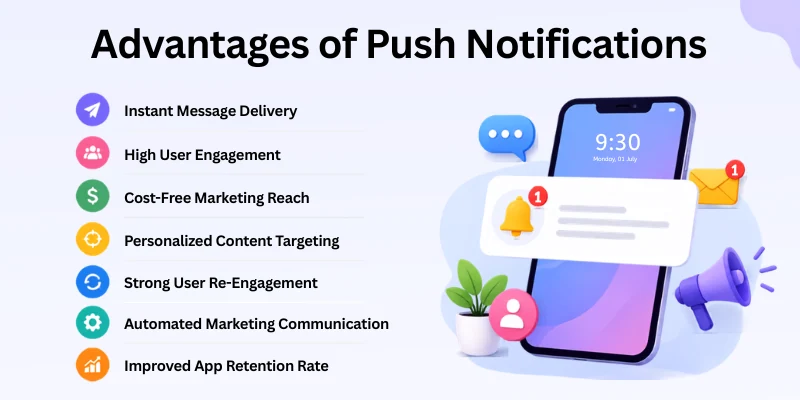
Here are some key benefits they offer:
- Instant Message Delivery
- High User Engagement
- Cost-Free Marketing Reach
- Personalized Content Targeting
- Strong User Re-Engagement
- Automated Marketing Communication
- Improved App Retention Rate
Let’s discuss these benefits of push notifications in detail.
1. Instant Message Delivery
Push notifications send messages to users in a very fast way. Users receive alerts within seconds on their phone or browser. This helps businesses share updates without delay. It works well for time-sensitive information.
For example, a food delivery app sends order updates instantly. The user can see each step without opening the app. This keeps users informed in real time. It also improves the overall experience.
Smart Tips
- Send only time-based important updates
- Keep messages short and clear
- Use it for urgent alerts
- Avoid sending too many at once
- Focus on useful information only
2. High User Engagement
Push notifications help bring users back to apps and websites. Users often click when the message feels useful or interesting. This increases activity and interaction on the platform. It helps improve daily engagement.
For example, a shopping app sends a limited-time discount alert. Many users open the app to check the offer. This increases clicks and visits quickly. It supports better user activity.
Smart Tips
- Write simple and clear messages
- Use strong but natural action words
- Target users based on interest
- Avoid boring or general alerts
- Test different message styles
3. Cost-Free Marketing Reach
Push notifications do not cost money per message like SMS. Businesses can send updates without extra charges. This makes it useful for small and large companies. It supports low-budget marketing.
For example, a small online store sends daily offers through notifications. They reach users without paying for each message. This helps them stay active in marketing. It also saves money.
Smart Tips
- Use for regular updates
- Focus on active users
- Combine with other marketing channels
- Avoid sending useless messages
- Track what works best
4. Personalized Content Targeting
Push notifications can be sent based on user behaviour. This means each user can get different messages. It makes communication more useful and relevant. Users feel the message is made for them.
For example, a fitness app sends workout reminders based on user goals. One user gets weight loss tips, another gets strength tips. This personal touch improves response. It also builds user interest.
Smart Tips
- Group users by interest
- Use behaviour data for targeting
- Keep messages simple
- Avoid sending the same message to all users
- Add small personal touches
5. Strong User Re-Engagement
Push notifications help bring inactive users back. Many users return when they receive a reminder. This helps increase app usage again. It reduces user drop-off.
For example, a gaming app sends “come back and claim a reward” alerts. Users who stopped using the app often return. This improves activity inside the app. It also boosts engagement.
Smart Tips
- Send reminders after inactivity
- Offer small rewards
- Keep tone friendly
- Do not pressure users
- Focus on value
6. Automated Marketing Communication
Push notifications can run automatically using tools. Once set, messages go out without manual effort. This saves time for marketing teams. It also keeps communication consistent.
For example, a learning app automatically sends daily study reminders. Students get messages without manual work. This keeps learning on track. It also reduces workload.
Smart Tips
- Set clear automation rules
- Use triggers like actions or time
- Schedule messages in advance
- Keep the setup simple
- Check results regularly
7. Improved App Retention Rate
Push notifications help users stay active in apps for a long time. Regular reminders bring users back again and again. This builds a habit of using the app. It improves retention.
For example, a language app sends daily practice reminders. Users come back to complete lessons. This builds consistency over time. It reduces uninstall rates.
Smart Tips
- Send regular but not too many reminders
- Focus on habit building
- Give small rewards
- Keep messages simple
- Monitor user activity
Disadvantages of Push Notifications
Push notifications can be very helpful, but they also come with some real problems if not used carefully. If businesses misuse them, they can hurt user experience instead of improving it.
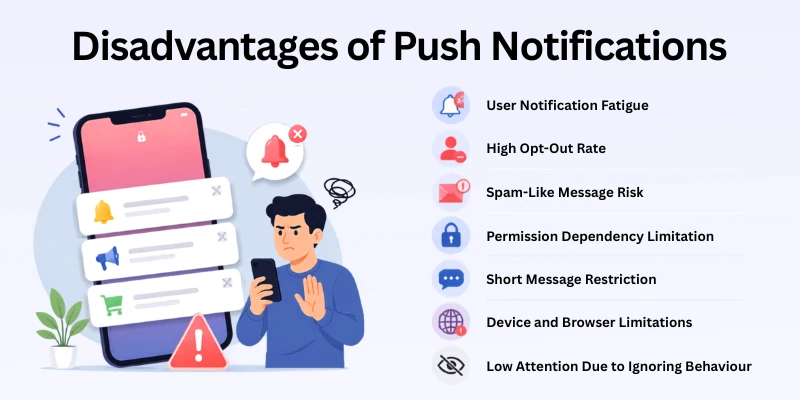
Here are some common disadvantages:
- User Notification Fatigue
- High Opt-Out Rate
- Spam-Like Message Risk
- Permission Dependency Limitation
- Short Message Restriction
- Device and Browser Limitations
- Low Attention Due to Ignoring Behaviour
Let’s cover them in detail.
1. User Notification Fatigue
Push notifications can feel too heavy when apps send too many messages. Users start losing interest when alerts come again and again. They may stop paying attention to all notifications. This reduces the value of each message.
For example, a shopping app sends several discount alerts in one day. At first, users may check them, but later they ignore them. This creates frustration and weak engagement. It also reduces user trust over time.
Smart Tips
- Send only important updates
- Keep a proper time gap between messages
- Avoid repeating similar alerts
- Watch how users respond
- Stop messages when users lose interest
2. High Opt-Out Rate
Users often turn off notifications when they feel disturbed. This usually happens when messages are not useful. Once users disable notifications, the app loses a direct way to reach them. This can hurt communication.
For example, a news app sends too many alerts in a short time. Users may feel annoyed and switch them off. After that, they no longer receive updates. This reduces engagement from the app.
Smart Tips
- Send only useful and clear messages
- Let users choose notification types
- Do not overload users with alerts
- Respect user settings
- Keep communication simple
3. Spam-Like Message Risk
Push notifications can look like spam if they are not used carefully. Users may lose trust if they receive random or useless messages. This can hurt the brand image. It also lowers user interest.
For example, an app sends daily promotions without value. Users may feel it is only marketing pressure. They may mute or uninstall the app. This reduces long-term results.
Smart Tips
- Share only relevant information
- Keep messages short and clear
- Avoid too many promotions
- Focus on user needs
- Send value in every message
4. Permission Dependency Limitation
Push notifications work only when users allow them. Many users skip permission when they install an app. Without permission, the app cannot send alerts. This limits reach from the beginning.
For example, a new app asks for notification access too early. Users may not trust it and click no. After that, the app loses a strong communication channel. This affects marketing performance.
Smart Tips
- Ask permission at the right time
- Explain why notifications help users
- Build trust before requesting
- Show value first
- Do not force permission
5. Short Message Restriction
Push notifications allow only short messages. This makes it hard to share full details. Businesses must keep messages very simple. Users may need to open the app for more information.
For example, a bank sends a transaction alert with basic details. It cannot explain everything in the message. Users must open the app for full info. This adds an extra step.
Smart Tips
- Write short and clear messages
- Focus on one idea only
- Add links for more details
- Avoid long text
- Use simple words
6. Device and Browser Limitations
Push notifications do not work on all devices or browsers. Some users may never receive alerts because of this. It creates communication gaps. Not all users get the same experience.
For example, older browsers may not support web notifications. Users on those devices miss important updates. This reduces reach for campaigns. It also affects performance tracking.
Smart Tips
- Test across all devices
- Use backup channels like email
- Inform users about support limits
- Keep systems updated
- Monitor delivery results
7. Low Attention Due to Ignoring Behaviour
Many users ignore notifications after some time. This happens when they see too many similar messages. Even important alerts may get ignored. This reduces engagement.
For example, a travel app sends daily offers. Users stop opening them after a few days. Good deals also get ignored. This lowers conversion chances.
Smart Tips
- Send fewer but high-value messages
- Change message style often
- Use urgency only when needed
- Personalize content
- Avoid repeating the same type of alerts
Advantages vs Disadvantages of Push Notifications (Comparison Table)
This simple table shows both sides clearly, so beginners can understand it easily:
| Advantages |
|---|
|
| Disadvantages |
|---|
|
Future of Push Notifications
Push notifications are becoming more advanced every year. Businesses now use smarter tools to send better and more useful messages.
In the future, push notifications will focus more on personal needs and user behaviour. They will become more interactive, simple, and helpful for users.
- AI will help send more personal and smart messages
- Notifications will become more interactive with buttons and actions
- Timing will improve based on user habits and activity
- More focus will be on user choice and control
- Businesses will send fewer but more useful messages
- Integration with apps, websites, and devices will become stronger
- Real-time updates will become more accurate and faster
Conclusion
In this article, we have covered the advantages and disadvantages of push notifications in a very simple way. We explored both the good side and the weak side so you can clearly see how they impact users and businesses in daily use.
Push notifications can help you grow your audience and increase engagement, but only when you use them with care. A smart approach always gives better results than sending too many alerts without purpose.
Don’t skip the next part of the FAQs. I hope you will find something more interesting, so don’t miss it. If you miss it, you may lose something new.
FAQs: Advantages and Disadvantages of Push Notifications
After reading this article, many beginners may still have small doubts. Below are the most common questions related to the pros and cons of push notifications, with simple answers to help you understand better:
Push notifications help businesses reach users quickly and directly. They improve engagement and bring users back to apps. They are also low-cost and easy to use.
In simple terms, they make communication fast and effective. Many companies use them for marketing and updates. This makes them a powerful digital tool.
Push notifications can annoy users if they are too frequent. Many users also turn them off because of unwanted alerts. They also depend on user permission.
- Can feel like spam
- Users may disable alerts
- Limited message length
Businesses use push notifications to send offers, updates, and reminders. They help increase traffic and user engagement. They also support customer retention.
For example, e-commerce apps use them for discount alerts. News apps use them for breaking news. This makes them very useful in marketing.
Yes, push notifications can help increase sales when used correctly. They remind users about products and offers. This encourages quick action.
For example, a shopping app sends “limited-time discount” alerts. Users often click and complete purchases. This improves conversion rates.
Users turn off notifications when they receive too many messages. Irrelevant or repeated alerts also cause frustration. This reduces trust in the app.
- Too many alerts in a short time
- Irrelevant content
- Lack of user control
Push notifications are usually cheaper and more interactive than SMS. They can include images, buttons, and links. However, SMS works without internet or apps.
Both have different uses in marketing. Push is better for engagement, while SMS is better for direct reach. Businesses often use both together.
Push notifications work when a user allows permission on an app or website. The system then sends messages through a server. These messages appear instantly on the user’s device.
In simple terms, it is an automatic message system. It works even when the app is not open. This makes it fast and effective.




- Be Respectful
- Stay Relevant
- Stay Positive
- True Feedback
- Encourage Discussion
- Avoid Spamming
- No Fake News
- Don't Copy-Paste
- No Personal Attacks
- Be Respectful
- Stay Relevant
- Stay Positive
- True Feedback
- Encourage Discussion
- Avoid Spamming
- No Fake News
- Don't Copy-Paste
- No Personal Attacks
