Top Advantages and Disadvantages of WordPress in 2026
Published: 21 Aug 2026
Are you confused about whether WordPress is really the right choice for your website or not? Many beginners face the same problem when they hear mixed opinions online.
Some say it is the easiest way to build a site, while others talk about its limits and extra work. In this guide on the advantages and disadvantages of WordPress, you will get a clear answer in simple words.
We will break everything into easy points so you can understand what works in its favour and what does not.
This will help you make a smart and confident decision without confusion or stress.
Advantages of WordPress
WordPress offers many useful benefits that make it one of the most popular website platforms for beginners and professionals.
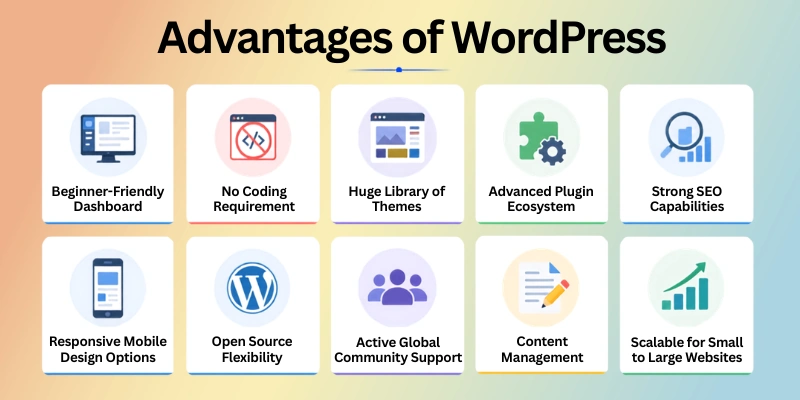
Here are some key pros of WordPress:
- Beginner-Friendly Dashboard
- No Coding Requirement for Setup
- Huge Library of Themes
- Advanced Plugin Ecosystem
- Strong SEO Capabilities
- Responsive Mobile Design Options
- Open Source Flexibility
- Active Global Community Support
- Easy Content Management System
- Scalable for Small to Large Websites
Now let’s cover the benefits of WordPress in detail.
1. Beginner-Friendly Dashboard
The WordPress dashboard feels simple the moment you log in. It groups everything in a clear layout so you do not feel lost. New users can find writing tools, pages, and settings without confusion. This helps people start their website journey without stress.
Many beginners create their first blog using WordPress because it feels easy from day one. You can write posts, upload images, and publish content with just a few clicks. It removes the fear of technical work. Even first-time users can handle it without help.
Smart Tips for Beginners
- Explore each menu before making changes
- Start with simple blog posts first
- Keep your layout clean in the beginning
- Use a basic theme to understand structure
2. No Coding Requirement for Setup
Building a website on WordPress does not need coding skills. You can design pages and add features using simple clicks. This makes it perfect for people who do not know programming. Everything feels visual and easy to control.
Most users set up full websites without writing a single line of code. Themes and plugins handle all the technical parts in the background. Small business owners especially like this freedom. It saves both time and money.
Smart Tips for Easy Setup
- Start with drag-and-drop builders
- Avoid advanced settings in the beginning
- Use pre-built templates for faster setup
- Focus on structure before design
3. Huge Library of Themes
A wide collection of themes is available in WordPress for different needs. You can pick designs for blogs, business sites, or online stores. This helps you build a professional-looking website quickly. You do not need to design anything from scratch.
Changing the look of your website takes only a few minutes. Many themes are free and still look modern and clean. Bloggers often use these ready designs to launch faster. It gives a strong start without extra effort.
Smart Tips for Better Design
- Choose a lightweight theme for speed
- Check how it looks on mobile
- Stick to simple layouts
- Avoid too many colours or effects
4. Advanced Plugin Ecosystem
Extra features can be added easily through plugins. These plugins work like apps that upgrade your website. You can add contact forms, SEO tools, or security features without coding. It makes your site more powerful in minutes.
Many websites depend on plugins to run smoothly. For example, online stores use plugins for payments and product pages. Bloggers use them for SEO and analytics. This flexibility makes WordPress very useful.
Smart Tips for Plugins
- Install only trusted plugins
- Remove plugins you do not use
- Update plugins regularly
- Test features after installation
5. Strong SEO Capabilities
Search engines understand WordPress websites easily because of their clean structure. This helps your content appear in Google search results. SEO plugins also make optimization simple for beginners. You can improve visibility without deep knowledge.
Many content creators use WordPress to grow organic traffic. You can edit titles, meta descriptions, and keywords easily. Even small changes can improve ranking over time. It supports long-term growth for websites.
Smart Tips for SEO
- Write clear and simple titles
- Add keywords naturally in content
- Use SEO plugins like Rank Math or Yoast
- Keep URLs short and readable
6. Responsive Mobile Design Options
Most WordPress themes adjust automatically to mobile screens. Your website looks good on phones, tablets, and desktops without extra work. This improves user experience for all visitors. It also helps reduce bounce rate.
Since most people use mobile devices today, this feature is very important. WordPress makes sure your site stays readable and clean on small screens. Many online businesses depend on this for better reach. It supports smooth browsing everywhere.
Smart Tips for Mobile Design
- Always preview your site on mobile
- Use responsive themes only
- Keep images optimized for speed
- Avoid heavy design elements
7. Open Source Flexibility
WordPress allows full freedom to customize your website. Developers and users can modify it according to their needs. This open system makes it very flexible. No single company controls it completely.
The platform grows with global community support. You can change designs, features, and structure easily. This makes it useful for both small and large projects. It adapts as your needs grow.
Smart Tips for Flexibility
- Learn basic customization slowly
- Use child themes for safe changes
- Always back up before editing
- Experiment step by step
8. Active Global Community Support
Millions of users around the world use WordPress daily. If you face a problem, help is always available online. You can find guides, videos, and forums easily. This makes learning much smoother.
Even beginners can solve issues quickly using community support. Many experts share free solutions and tutorials. You never feel stuck for long. This builds confidence in new users.
Smart Tips for Support
- Search problems on WordPress forums
- Watch YouTube tutorials for solutions
- Join beginner groups online
- Read official documentation
9. Easy Content Management System
Managing content on WordPress feels simple and organized. You can create, edit, or delete pages anytime. Everything stays inside one dashboard. This makes website control very easy.
Large websites also use WordPress for daily content updates. News sites and blogs publish articles regularly without issues. Even non-technical users can manage everything. It saves a lot of time.
Smart Tips for Content Management
- Organize posts using categories
- Plan content before publishing
- Update old articles regularly
- Keep formatting clean and simple
10. Scalable for Small to Large Websites
A small blog can grow into a large website using WordPress. It supports more pages, features, and traffic over time. You do not need to switch platforms later. This makes it a long-term solution.
Many big brands use WordPress for large websites. You can start small and expand step by step. As your business grows, your website can grow too. It stays flexible for future needs.
Smart Tips for Growth
- Start with a simple setup
- Upgrade hosting when traffic increases
- Add features only when needed
- Keep website structure clean
Disadvantages of WordPress
WordPress has many strong points, but it also comes with some problems that users should know before starting.
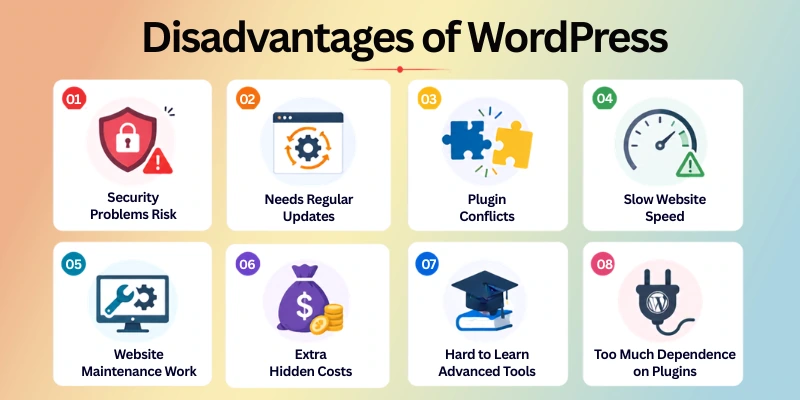
Here are some cons of WordPress:
- Security Problems Risk
- Needs Regular Updates
- Plugin Conflicts
- Slow Website Speed
- Website Maintenance Work
- Extra Hidden Costs
- Hard to Learn Advanced Tools
- Too Much Dependence on Plugins
Ok, now guys, let’s cover these limitations of WordPress in detail.
1. Security Problems Risk
WordPress sites can face security issues if they are not protected well. Hackers often target websites that use weak passwords or outdated tools. This can put your website data at risk. It is important to stay careful from the start.
Many beginners do not think about security in the beginning. They install random themes and plugins without checking safety. This can create problems later. Even small websites need strong protection to stay safe.
Smart Safety Tips
- Use strong and unique passwords
- Install a trusted security plugin
- Avoid unknown themes or plugins
- Keep login details private
2. Needs Regular Updates
WordPress needs updates for its system, themes, and plugins. These updates help fix bugs and improve performance. But they also require your attention again and again. You cannot ignore them for long.
Sometimes updates can change how your website looks or works. Beginners may feel confused when something breaks after updating. That is why regular checking is important. It keeps your site working smoothly.
Smart Update Tips
- Check updates every week
- Back up your website before updating
- Update plugins one by one
- Avoid skipping important updates
3. Plugin Conflicts
Not all plugins work well together in WordPress. Sometimes one plugin can break another feature. This creates errors on your website. It can also affect design or performance.
Many users install too many plugins without testing. This increases the chance of problems. Even small changes can cause conflicts. Careful selection is very important.
Smart Plugin Tips
- Install only necessary plugins
- Test plugins before full use
- Remove unused plugins
- Choose popular and trusted plugins
4. Slow Website Speed
A WordPress site can become slow if it is not optimized well. Heavy themes, large images, and extra plugins can reduce speed. This affects user experience and SEO ranking. Visitors may leave if the site loads slowly.
Speed is very important for online success. Many beginners ignore optimization steps. This makes websites load more slowly over time. Simple improvements can fix this issue.
Smart Speed Tips
- Use lightweight themes
- Compress images before uploading
- Avoid unnecessary plugins
- Use caching tools
5. Website Maintenance Work
WordPress needs regular care to run properly. You must check updates, backups, and security often. This is not fully automatic. You stay responsible for everything.
Some users find maintenance work time-consuming. If you ignore it, your site can face errors. Even small issues can grow into bigger problems. Regular attention keeps everything stable.
Smart Maintenance Tips
- Take weekly backups
- Monitor website performance
- Update the system regularly
- Fix small issues quickly
6. Extra Hidden Costs
WordPress looks free at the start, but extra costs can appear later. You may need paid themes, plugins, or hosting upgrades. These costs increase as your website grows. Many beginners do not expect this.
A simple website can stay cheap, but advanced features cost money. Business websites often spend more for better performance. Planning your budget is important from the start. This avoids surprises later.
Smart Cost Tips
- Start with free tools first
- Upgrade only when needed
- Compare hosting plans carefully
- Avoid unnecessary paid plugins
7. Hard to Learn Advanced Tools
Basic WordPress is easy, but advanced features take time to learn. Things like customization, speed fixing, or SEO settings can feel confusing. Beginners may feel stuck at this stage.
Many users learn slowly through practice and tutorials. It takes time to understand everything properly. But once learned, it becomes easier to manage. Patience is important here.
Smart Learning Tips
- Start with basic features first
- Watch beginner tutorials
- Practice step by step
- Do not rush advanced settings
8. Too Much Dependence on Plugins
WordPress often depends on plugins to add features. Without plugins, many functions do not work. This can make the system feel heavy and complex. Too many plugins can also create issues.
Some websites install plugins for every small task. This increases the load and risk of errors. It is better to keep things simple. Smart selection helps improve performance.
Smart Plugin Balance Tips
- Use only essential plugins
- Avoid duplicate plugin functions
- Check plugin reviews before installing
- Keep your setup clean and light
Who Should Use WordPress?
WordPress works well for many different people because it is simple, flexible, and easy to grow. It fits both small and large website needs. If you want to build a website without coding, WordPress can be a good choice.
Here are the people who should use it.
- New bloggers who want to start writing online
- Small business owners building a simple website
- Freelancers who need an online portfolio
- Content creators sharing articles or updates
- Online store owners starting with basic eCommerce
- Students or beginners learning website building
- Marketing teams managing multiple web pages
- Anyone who wants a low-cost website start
Future of WordPress
WordPress is constantly improving, and its future looks strong as more people and businesses depend on it for building websites.
- WordPress will continue to grow as more people build websites without coding
- It will add more AI tools to help users write and design faster
- Website building will become even easier with drag-and-drop features
- Speed and performance will improve with better updates and tools
- Security will become stronger to protect users from online threats
- More small businesses will choose WordPress for online stores
- Mobile website design will become more advanced and flexible
- The plugin system will get more organized and safer to use
- WordPress will stay one of the top platforms for blogging and content websites
- Beginners will find it easier to learn and manage websites over time
Conclusion
In this article, we have discussed the advantages and disadvantages of WordPress simply and clearly so you can understand how it works for building websites. WordPress offers many useful features, but it also has some challenges that every user should know before starting.
Overall, it can be a great choice for beginners, bloggers, and business owners if they use it in the right way. It gives you freedom, but it also needs care and regular updates.
Before you move ahead, don’t miss the next section of FAQs. You may find some helpful answers that can clear your final doubts, so make sure you read it carefully. You might miss something useful if you skip it.
FAQs: Pros and Cons of WordPress
Here are some frequently asked questions related to the WordPress pros and cons:
WordPress is a popular website builder with many useful features, but it also has some limits. The advantages include ease of use, flexibility, and strong customization options. The disadvantages include security risks, updates, and plugin issues.
WordPress is popular because it is easy, flexible, and works for many types of websites. You can build blogs, business sites, and online stores with it. It also has a large community that provides help and support.
WordPress can face security issues if users do not take proper care. Weak passwords, outdated plugins, and unsafe themes can create risks. However, you can improve security with simple steps.
Basic security tips include:
- Use strong passwords
- Install security plugins
- Keep everything updated
- Avoid unknown plugins or themes
WordPress is better for users who want flexibility and control over their website. Other builders may be easier but offer fewer customization options. The choice depends on your needs and technical comfort.
WordPress software is free to use, but you may still pay for some things. You need hosting, a domain name, and sometimes paid themes or plugins. So the cost depends on how advanced your website is.
Here is what may cost money:
- Domain name for your website
- Web hosting service
- Premium themes and plugins
- Extra security or speed tools
Yes, WordPress is widely used for business websites of all sizes. It allows you to create professional designs and add business tools easily. Many companies use it for branding and online presence.
Yes, WordPress is very good for beginners who want to build a website without coding. It has a simple dashboard and easy tools for creating pages and posts. Many beginners use it for blogs and small business websites.




- Be Respectful
- Stay Relevant
- Stay Positive
- True Feedback
- Encourage Discussion
- Avoid Spamming
- No Fake News
- Don't Copy-Paste
- No Personal Attacks
- Be Respectful
- Stay Relevant
- Stay Positive
- True Feedback
- Encourage Discussion
- Avoid Spamming
- No Fake News
- Don't Copy-Paste
- No Personal Attacks
