Types of Push Notifications: Complete Beginner Guide
Published: 16 Aug 2026
Many businesses face the same problem. They try to reach users through apps or websites, but people often ignore the messages or turn off notifications completely.
This usually happens when the wrong type of message is used at the wrong time. Not all push messages work in the same way. Each one has a different purpose, and that is where understanding types of push notifications becomes important.
These types help solve real issues like low engagement, abandoned carts, and poor user retention. When businesses use the right types of notifications, they can reconnect with users in a better way, increase interaction, and improve overall results.
In this guide, you will learn how each type works and how to use them in a smart and effective way.
Types of Push Notifications
Push notifications help businesses connect with users instantly, especially when it comes to push notifications for mobile apps. They appear on mobile phones, browsers, and desktops. Each type has a different purpose. Some inform users, some drive sales, and some bring users back.
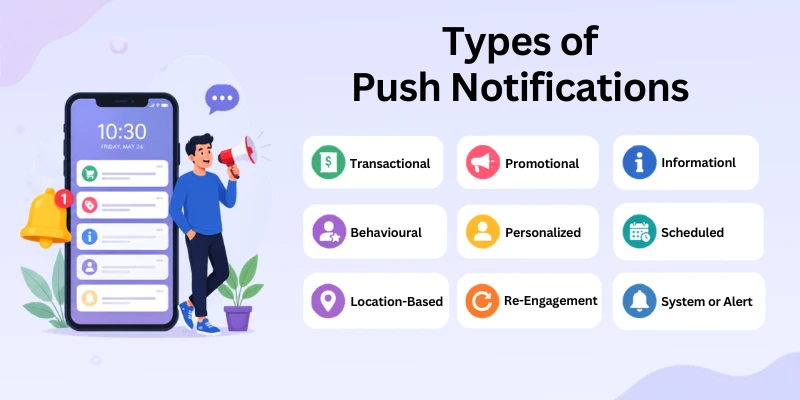
Here are the notification categories:
- Transactional Push Notifications
- Promotional Push Notifications
- Informational Push Notifications
- Behavioural Push Notifications
- Personalized Push Notifications
- Scheduled Push Notifications
- Location-Based Push Notifications
- Re-Engagement Push Notifications
- System or Alert Push Notifications
Let’s go deeper into each type so you clearly understand how they work in real life.
1. Transactional Push Notifications
Transactional push notifications are the most important type because they share critical updates after a user action.
These messages are automatic. They trigger when a user completes a task like buying something, signing up, or changing account details. They are not used for marketing. They focus only on information and trust.
In simple terms, they tell users, “Your action is done, and here is the update.”
Why they matter
They build strong trust between a business and a user. When users get instant updates, they feel safe and confident about the service. They also reduce confusion. Users do not need to check emails or websites again and again.
Examples in real life
- Your order has been successfully placed
- Payment has been received
- Your order is shipped and on the way
- Delivery has been completed
- Password reset link has been sent
Where you see them
- E-commerce apps like Amazon-style stores
- Banking apps
- Food delivery apps
- SaaS platforms
Transactional messages are essential. Without them, users feel lost after taking action.
2. Promotional Push Notifications
Promotional push notifications focus on marketing and sales. Businesses use them to attract attention and increase revenue.
These messages are planned by marketing teams. They are not triggered by user actions. Instead, they are sent to groups of users based on campaigns.
In simple terms, they say, “Here is a deal, come and buy now.”
Why they matter
They help businesses increase traffic, boost sales, and promote new offers. They are powerful when timing and targeting are done correctly.
But overuse can annoy users. So balance is important.
Examples in real life
- Flat 50% discount on all items today
- Limited-time offer ending soon
- The new collection is now live
- Buy one, get one free deal
- Special holiday sale is active
Where you see them
- Online shopping apps
- Fashion brands
- Travel websites
- Food delivery platforms
Promotional notifications work best when they feel valuable, not spammy.
3. Informational Push Notifications
Informational push notifications are used to share updates that users should know. They are not focused on selling or actions.
These messages improve communication. They keep users aware of changes, updates, or new content.
In simple words, they say, “Here is something important you should know.”
Why they matter
They keep users informed without pressure. This builds transparency and improves user trust. They are also useful for long-term engagement.
Examples in real life
- New app version is available for download
- Privacy policy has been updated
- New blog post has been published
- Service maintenance is scheduled for tonight
- New features added to your account
Where you see them
- Mobile apps
- News websites
- Software tools
- Online services
Informational notifications are calm, simple, and helpful.
4. Behavioural Push Notifications
Behavioural push notifications are based on user activity. They are one of the smartest types because they react to real behaviour.
The system watches what users do. Then it sends a message based on that action or inaction.
In simple terms, they say, “We noticed what you did; here is a reminder.”
Why they matter
They help recover lost opportunities. Many users leave actions incomplete. These notifications bring them back. They also increase conversion rates because they feel relevant.
Examples in real life
- You left items in your cart
- You viewed this product but did not buy it
- You started signing up, but did not finish
- You searched but did not select anything
Where you see them
- E-commerce websites
- Mobile shopping apps
- SaaS tools
- Subscription platforms
Behavioural notifications are powerful because they act at the right moment.
5. Personalized Push Notifications
Personalized push notifications are designed based on user interest, behaviour, and preferences. These messages feel more human because they match what each user likes. In simple words, they say, “This is made just for you.”
Why they matter
Personalization increases engagement. Users are more likely to click when the message feels relevant. It also improves customer satisfaction because users feel understood.
Examples in real life
- Recommended products based on your browsing
- Special discount on your favourite category
- Content suggestions based on your activity
- Offers near your location
- Items similar to what you viewed
Where you see them
- Shopping apps
- Streaming platforms
- News apps
- Learning platforms
Personalized notifications often perform better than general messages.
6. Scheduled Push Notifications
Scheduled push notifications are planned and sent at a fixed time. Businesses decide the timing before sending them. They do not depend on user actions. In simple terms, they say, “We planned this message for this time.”
Why they matter
Timing plays a big role in engagement. When users receive messages at the right time, they respond better. Scheduling also helps businesses stay consistent.
Examples in real life
- Daily motivational tips every morning
- Weekly newsletter updates
- Event reminders before start time
- Flash sale alerts at peak hours
- Educational tips sent daily
Where you see them
- Learning apps
- News platforms
- Marketing campaigns
- Fitness apps
Scheduled notifications help maintain regular communication.
7. Location-Based Push Notifications
Location-based push notifications use a user’s physical location to send relevant messages. They are highly targeted and feel very useful because they match real-world surroundings. In simple words, they say, “Something is happening near you.”
Why they matter
They help local businesses reach nearby customers. They also improve conversion because messages feel immediate and relevant.
Examples in real life
- Discount at a nearby store
- Restaurant offers near your location
- Local event happening today
- Special deals in your city
- Nearby store is now open
Where you see them
- Retail apps
- Food delivery apps
- Travel apps
- Event platforms
These notifications work best for local marketing.
8. Re-Engagement Push Notifications
Re-engagement push notifications are used to bring inactive users back. They target users who have stopped using an app or website. In simple terms, they say, “We want you back.”
Why they matter
Many users install apps but stop using them. These notifications help recover those users. They improve retention and long-term growth.
Examples in real life
- We miss you. Come back and explore new deals
- Your favourite items are still waiting
- New updates since your last visit
- Special offer just for returning users
- Your account is still active
Where you see them
- Mobile apps
- Subscription services
- Online stores
- SaaS platforms
Re-engagement messages are very important for business growth.
9. System or Alert Push Notifications
System or alert notifications share important warnings or account updates. These messages are often urgent. They need quick attention from users. In simple terms, they say, “Something important needs your attention.”
Why they matter
They protect users and keep accounts secure. They also alert users about technical issues.
Examples in real life
- New login detected from another device
- Security alert on your account
- Payment failed or declined
- Suspicious activity detected
- System error or downtime notice
Where you see them
- Banking apps
- Security systems
- SaaS tools
- Financial platforms
These notifications are critical for safety and system control.
Tools Used for Push Notifications
Businesses use push notification tools to send messages to users in a simple and automated way. These tools help you manage campaigns, target the right audience, and track results without any technical stress. They save time and improve communication with users.
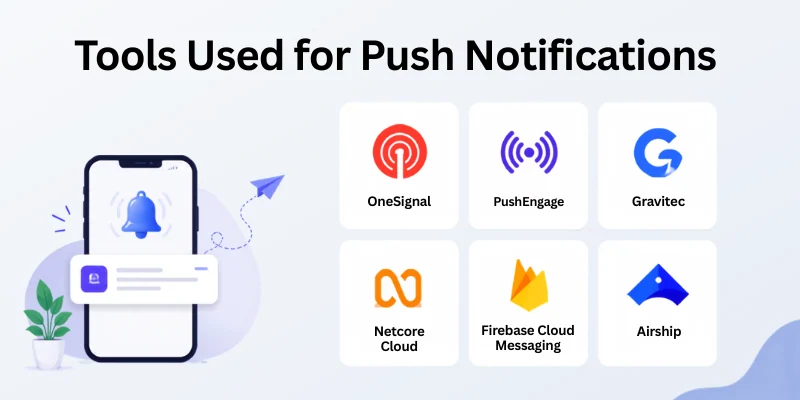
Here are some popular tools and what they help you do:
- OneSignal: It helps you send web and mobile push notifications easily. You can also segment users and track how many people click your messages.
- PushEngage: It is widely used for marketing campaigns. It helps you send promotional, cart recovery, and re-engagement notifications to increase sales.
- Gravitec: It focuses on web push notifications. It is simple to set up and works well for blogs, news websites, and online stores.
- Netcore Cloud: It offers advanced personalization features. It helps you send targeted messages based on user behaviour and interest.
- Firebase Cloud Messaging (FCM): It is a free tool from Google. Developers use it to send notifications to Android, iOS, and web apps with strong reliability.
- Airship: It is used by large businesses. It helps manage advanced customer journeys and sends highly personalized messages at scale.
Each tool has its own strength. The right choice depends on your business size, goals, and the type of audience you want to reach.
Conclusion
In this article, we’ve covered types of push notifications in detail. From transactional updates to promotional and re-engagement messages, each type plays a different role in improving user engagement.
In my experience working with digital campaigns, I have seen that businesses get the best results when they mix personalization with timing instead of relying on only one type.
If you are starting out, I personally recommend focusing first on transactional and behavioural notifications because they build trust and bring users back naturally.
If you found this guide helpful, explore more of our articles and start improving your marketing strategy today.
FAQs: Push Notifications Types
Below are some common questions related to notification types and simple answers to help you get more clarity:
Many beginners send too many notifications or use unclear messages. Some also ignore user preferences and timing. These mistakes can reduce engagement and increase unsubscribes.
Transactional push notifications share important updates after user actions. They help users track their orders, payments, or account activity. This builds trust and improves user experience.
Push notifications come in different types based on their purpose and use. Each type helps businesses communicate in a specific way. The most common types are listed below:
- Transactional
- Promotional
- Informational
- Behavioral
- Personalized
Behavioural notifications are based on user actions like clicks or visits. Personalized notifications are based on user interests and preferences. Both improve engagement, but personalization feels more targeted.
Yes,
Push notification alerts can increase website traffic quickly. They remind users about new content, offers, or updates. This brings users back to your website regularly.
Push notification tools help businesses send and manage messages easily. They also track performance and user engagement. Common tools are listed below:
- OneSignal
- PushEngage
- Gravitec
- Firebase Cloud Messaging
- Netcore Cloud




- Be Respectful
- Stay Relevant
- Stay Positive
- True Feedback
- Encourage Discussion
- Avoid Spamming
- No Fake News
- Don't Copy-Paste
- No Personal Attacks
- Be Respectful
- Stay Relevant
- Stay Positive
- True Feedback
- Encourage Discussion
- Avoid Spamming
- No Fake News
- Don't Copy-Paste
- No Personal Attacks
