Advantages and Disadvantages of WhatsApp for Beginners
Published: 14 Mar 2026
WhatsApp has become a part of daily life for billions of people around the world. From personal conversations to business communication, it keeps people connected like never before.
Yet, while millions rely on it every day, many also encounter challenges that can affect privacy, focus, and overall convenience. If you have ever wondered whether WhatsApp is truly as reliable and useful as it seems or if it has hidden drawbacks, this guide is for you.
In this article, we will explore the advantages and disadvantages of WhatsApp, helping you understand how it works, what to watch out for, and how to make the most of it safely and effectively.
Let’s get into the pros and cons of WhatsApp to see the full picture.
Advantages of WhatsApp
WhatsApp offers many benefits that make it one of the most used communication tools in the world.
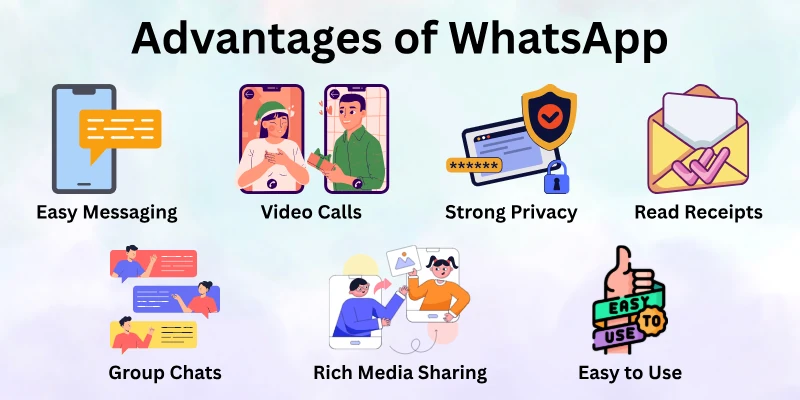
Below are the key advantages of using WhatsApp that keep people and businesses hooked:
- Free and Easy Messaging
- Free Voice and Video Calls
- End-to-End Encryption (Strong Privacy)
- Group Chats for Easy Coordination
- Rich Media Sharing
- Easy to Use Across Devices
- High Engagement and Read Receipts
- WhatsApp Business Features
Let’s look at the pros of WhatsApp.
1. Free and Easy Messaging
The biggest advantage of WhatsApp is that it lets you message anyone for free, anywhere in the world. Unlike traditional SMS, where you pay per message, WhatsApp uses your internet connection, either Wi‑Fi or mobile data, so you can send unlimited texts without worrying about extra costs.
This is especially helpful for people who stay in touch with family or friends abroad. Long-distance texting or calling used to be expensive, but WhatsApp removes that barrier, making communication effortless.
For example:
- If you have family living overseas, you can talk with them.
- Students studying in other countries can chat with classmates or friends freely, helping them feel closer to home.
This simple yet powerful feature makes WhatsApp a trusted communication tool for billions of people worldwide.
2. Free Voice and Video Calls
WhatsApp goes beyond messaging; it allows you to make voice and video calls for free. This means you can connect with anyone, even internationally, without paying per minute. Calls use internet data instead of traditional phone minutes, which can save a lot of money over time.
This feature has transformed the way people communicate, especially during long-distance relationships or global work meetings. You no longer need expensive calling plans or separate apps to stay connected.
For example:
- Families separated by continents can have long conversations without worrying about bills.
- Work teams spread across cities or countries can hold quick video meetings directly from WhatsApp.
- Students can collaborate on group projects through video calls, making learning interactive and real-time.
By combining voice and video communication in one app, WhatsApp keeps personal and professional interactions smooth and cost-free.
3. End-to-End Encryption (Strong Privacy)
Privacy is one of the strongest merits of WhatsApp. The app uses end-to-end encryption, which means only the sender and receiver can read messages. Not even WhatsApp or hackers can access your conversations.
This makes it ideal for personal discussions, sensitive information, or confidential business messages. People feel safer using WhatsApp because they know their messages are protected from prying eyes.
For example:
- You can share private family matters without worrying about them being intercepted.
- Businesses can discuss contracts or client details securely.
- Students can exchange exam-related files or assignments with confidence.
In a world where online privacy is increasingly fragile, WhatsApp’s encryption gives peace of mind to users of all kinds.
4. Group Chats for Easy Coordination
WhatsApp makes it simple to communicate with multiple people at once through group chats. You can create groups for family, friends, work teams, school classes, or community projects.
Groups save time and effort by allowing everyone to stay in the loop. Instead of sending the same message individually, you can post updates or share files in one place. This is particularly helpful when coordinating tasks or sharing important announcements.
For example:
- A student project group can discuss deadlines, share files, and divide responsibilities efficiently.
- A family group can plan trips or events while keeping everyone informed.
- A work team can post meeting updates or quick instructions without sending separate emails.
Well-managed groups reduce confusion, make collaboration smoother, and strengthen communication among members.
5. Rich Media Sharing
Another key advantage is the ability to send a variety of media through WhatsApp. You can share photos, videos, voice messages, PDFs, documents, contact info, and even your location. This flexibility makes communication richer and more interactive.
Media sharing is especially useful for education, work, or day-to-day planning. It allows people to express themselves beyond simple text messages.
For example:
- Students can send lecture recordings or assignment files to classmates.
- Friends can share photos or videos from events and trips instantly.
- Professionals can send invoices, contracts, or design drafts without leaving the app.
This versatility is one reason WhatsApp remains more than just a messaging app—it’s a complete communication platform.
6. Easy to Use Across Devices
WhatsApp isn’t limited to your phone. You can use it on smartphones, tablets, and computers through WhatsApp Web or the desktop app. Your chats stay synced across devices, so you never lose track of conversations.
This multi-device access is convenient for work, study, or personal use. You can switch seamlessly between devices without losing important messages.
For example:
- Professionals can reply quickly from their computer while working.
- Students can type long messages or essays faster using a keyboard.
- Families can check chats on tablets while cooking or relaxing.
This flexibility highlights the benefits of WhatsApp, allowing it to adapt to different lifestyles and usage needs.
7. High Engagement and Read Receipts
WhatsApp provides read and delivery notifications, helping users know the status of their messages. Two checkmarks indicate delivery, and blue checks show that the message was read (if enabled).
This feature is useful for personal and business communication alike. It helps you track whether important messages were received and encourages timely responses.
For example:
- Parents can confirm their child has read a safety-related message.
- Teams can ensure everyone has seen updates or instructions.
- Businesses can track customer engagement with service updates or notifications.
Knowing your messages reach the intended audience adds reliability and accountability to communication.
8. WhatsApp Business Features
WhatsApp also offers a business version, designed to help companies communicate with customers efficiently. Businesses can create profiles, add working hours, share addresses and websites, and set up automated greetings or quick replies.
This helps small businesses connect with clients without investing in costly tools. It’s particularly useful for direct customer engagement, order tracking, and support.
- A bakery can share daily menu updates or special offers.
- An e-commerce shop can answer customer queries instantly.
- Service providers can confirm appointments or provide follow-up instructions.
WhatsApp Business transforms the app from a simple messaging tool into a practical platform for customer service and engagement.
Disadvantages of WhatsApp
While WhatsApp is incredibly useful, it also has downsides. These can affect both personal users and businesses.
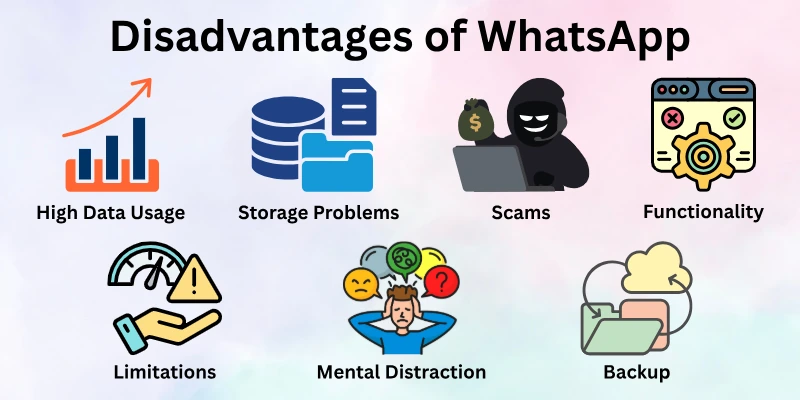
- High Data Usage
- Storage Problems on Devices
- Security Risks and Scams
- Limited File Size and Functionality
- Group Management Challenges
- Device Dependency and Limitations
- Backup and Data Loss Issues
- Overuse and Mental Distraction
- Limited Business Automation Without API
Let’s talk about the cons of WhatsApp clearly.
1. High Data Usage
Although WhatsApp messaging is free, the app relies entirely on internet data. Voice and video calls, media sharing, and status updates can consume a significant amount of data, especially for heavy users.
This can be a problem for people with limited data plans or unstable internet connections. Over time, the costs of using mobile data can add up, which somewhat offsets the “free” aspect of the app.
For example:
- Watching multiple videos or sending large files can quickly use up your mobile data.
- Long video calls with friends or colleagues in other countries may consume gigabytes in just a few sessions.
- Students attending online classes through WhatsApp may notice their data is depleted faster than expected.
While WhatsApp is free in terms of messaging, users must be careful about their data usage to avoid unexpected expenses.
2. Storage Problems on Devices
WhatsApp automatically downloads and stores all media by default, including photos, videos, and voice messages. Over time, this can fill up device storage, slowing down performance and making it hard to manage files.
For example:
- Families sharing hundreds of photos and videos in group chats may quickly run out of storage space.
- Professionals sending work files regularly can burden their phones, especially if they don’t delete old media.
- Students exchanging lecture recordings or project files may need extra storage or risk losing older files.
Managing storage effectively is crucial to keep WhatsApp running smoothly, but many users overlook this feature.
3. Security Risks and Scams
While WhatsApp encrypts messages for privacy, it cannot prevent scammers, fake accounts, or phishing attempts. Users may encounter messages trying to steal personal information, spread malware, or trick them into financial scams.
For example:
- Fake messages claiming to be from banks asking for verification codes.
- Unknown contacts sending malicious links disguised as important updates.
- Scammers impersonating friends or businesses to collect money or sensitive info.
Even experienced users can fall prey if they’re not cautious, making WhatsApp’s security a double-edged sword.
4. Limited File Size and Functionality
WhatsApp limits the size of files you can send. Large files like high-resolution videos, presentations, or extensive PDFs often need to be compressed or shared through other apps.
For example:
- Professionals trying to send large design files may need to split them or use cloud storage.
- Students submitting project files may face restrictions due to size limits.
- Sharing long videos from events may require alternative platforms like Google Drive or WeTransfer.
This limitation can be frustrating for users who need to share large content quickly.
5. Group Management Challenges
While group chats are helpful, they can also become overwhelming if not managed properly. In large groups, messages can flood the chat, important updates get buried, and notifications become a constant distraction.
For example:
- Students in class groups may find important announcements lost among memes and casual messages.
- Work teams may struggle to track action items if everyone posts updates at once.
- Family groups can become noisy and cause members to mute notifications to cope.
Without clear rules or organization, group chats can add stress instead of simplifying communication.
6. Device Dependency and Limitations
WhatsApp requires a phone number to register and is tied to a primary device. You cannot use one account on multiple phones simultaneously, which limits flexibility for some users.
For example:
- Losing a phone can make it difficult to access your account immediately.
- Switching phones requires a backup and restore process that some users find complicated.
- Users who want to log in from multiple devices may feel restricted, especially in professional scenarios.
This device dependency can frustrate users who expect more freedom across devices.
7. Backup and Data Loss Issues
WhatsApp allows backups through Google Drive or iCloud, but backups sometimes fail or take up significant storage space. Restoring chats can also be tricky and may lead to partial data loss.
For example:
- A student losing months of project messages due to a failed backup.
- Professionals losing client conversations when switching devices.
- Families losing cherished photos or videos if the backup didn’t complete correctly.
Regularly checking backups and storage space is necessary, but not all users do this consistently.
8. Overuse and Mental Distraction
WhatsApp keeps people constantly connected, but this can lead to overuse and distraction. Constant notifications from friends, groups, and work chats can interfere with focus, study, or rest.
For example:
- Employees may feel pressured to respond instantly, even outside working hours.
- Students may lose focus on studies due to frequent group chat notifications.
- Casual users may feel stressed or anxious about replying promptly.
This “always-on” culture can affect productivity and mental well-being if not managed properly.
9. Limited Business Automation Without API
For businesses, WhatsApp Business is useful, but it has limitations. Advanced automation requires WhatsApp API and third-party tools, which may cost extra and require technical knowledge.
For example:
- A growing e-commerce shop may want automated order confirmations, but standard WhatsApp Business cannot do this alone.
- Scheduling marketing messages or managing large customer lists needs additional software.
- Small businesses without tech support may find it harder to scale operations.
While WhatsApp is powerful for small businesses, heavy automation isn’t built into the free app.
Real Tips to Use WhatsApp Better
You’ve just explored the pros and cons of WhatsApp, and now it’s time to take control of your experience. With a few smart tips, you can save time, protect your privacy, and make chatting smoother than ever.
Whether it’s managing groups, handling media, or staying safe online, these simple tricks will help you get the most out of WhatsApp every day.
Tips:
- Turn off auto-download for media to save data and storage.
- Mute noisy groups to reduce distractions.
- Use WhatsApp Web for faster typing and multitasking.
- Regularly back up your chats to prevent data loss.
- Customize notifications for important contacts.
- Organize groups with clear rules for smoother communication.
- Avoid clicking unknown links to stay safe from scams.
- Archive old chats to keep your chat list clean.
- Pin important chats for easy access.
- Use starred messages to save key information.
- Schedule reminders for important messages with third-party apps.
- Update your privacy settings to control who sees your profile info.
- Label business chats for better organization.
- Quickly search chats to find messages instantly.
- Share your location only when necessary for safety.
Final Words
In this guide, we have covered the advantages and disadvantages of WhatsApp, exploring both its benefits and potential challenges. While WhatsApp offers incredible convenience, free communication, and easy connectivity, it also comes with limitations like privacy concerns, storage issues, and distraction risks.
To get the most out of this app, it’s important to balance the benefits and drawbacks of WhatsApp by managing notifications, backing up chats, controlling privacy settings, and using the app responsibly. With mindful use, you can enjoy WhatsApp safely and effectively.
Thank you for reading, and we wish you a smooth and enjoyable WhatsApp experience!
FAQs: Advantages and Disadvantages of WhatsApp
Here, we answer the most common questions about the merits and demerits of WhatsApp, helping you understand its benefits, challenges, and how to use it effectively every day.
WhatsApp allows people to stay in touch with friends, family, and colleagues easily. You can send free messages, make voice and video calls, and share photos, videos, and documents instantly. It also supports group chats, which makes coordinating with multiple people simple and convenient.
WhatsApp lets you send messages, voice notes, photos, and videos quickly over the internet. You can also call or video call anyone, even in another country, without paying extra.
- You only need an internet connection.
- Messages deliver fast in chats and groups.
- You can share location or files easily.
WhatsApp uses encryption to protect your chats, but some users still worry about data sharing with its parent company, Meta (Facebook). This raises questions about how information like phone numbers and metadata might be used outside the app.
Yes. WhatsApp can take up space when you receive lots of photos, videos, or voice messages. Over time, these files can fill your phone storage and slow down your device.
WhatsApp can help small businesses talk to customers directly and answer questions quickly. But it lacks advanced business tools like analytics and strong customer support features that bigger companies might need.
Yes. Because WhatsApp sends constant alerts from messages and group chats, it can distract you from work, school, or rest. Many people find this overwhelming if notifications are not managed.
People use WhatsApp to stay connected with friends, family, and colleagues easily and instantly. It allows free messaging, voice and video calls, and sharing of photos, videos, and documents over the internet. Many users also enjoy group chats, status updates, and the convenience of communicating anytime, anywhere.






- Be Respectful
- Stay Relevant
- Stay Positive
- True Feedback
- Encourage Discussion
- Avoid Spamming
- No Fake News
- Don't Copy-Paste
- No Personal Attacks
- Be Respectful
- Stay Relevant
- Stay Positive
- True Feedback
- Encourage Discussion
- Avoid Spamming
- No Fake News
- Don't Copy-Paste
- No Personal Attacks
