Google Ads Campaigns Types – Complete Beginner Guide
Published: 29 Mar 2026
More than 80% of businesses use Google Ads to reach customers online, and I have seen why it works so well. Still, many people fail because they do not understand the Google Ads campaigns types.
When I first started running ads, I wasted money by choosing the wrong campaign. Google Ads offers many campaign types, and each one has a clear goal. Some campaigns bring fast sales, while others help build brand trust.
If you choose the right campaign type, you can control your budget, reach the right people, and get real results without guessing.
In this article, I will explain the different types of Google Ads campaigns, when to use each one, and real-life examples to help you understand them easily.
Types of Google Ads Campaigns
Google Ads offers different Google campaign types to meet different business goals. Each campaign works in its own way and targets users at different stages of their buying journey.
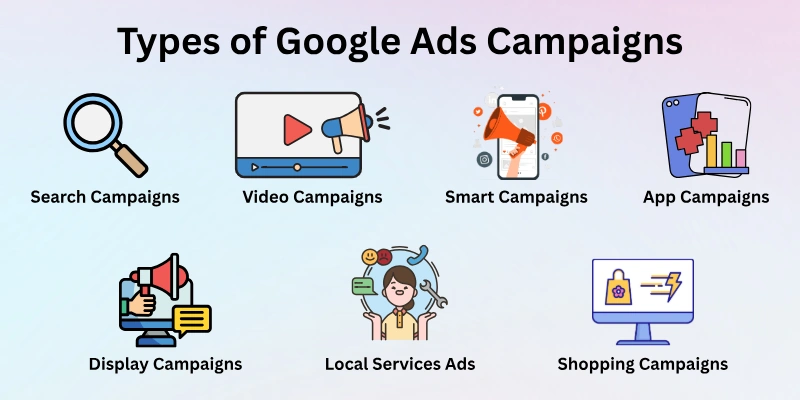
Here’s a list of Google Ads campaign types:
- Search Campaigns
- Display Campaigns
- Video Campaigns
- Shopping Campaigns
- App Campaigns
- Performance Max Campaigns
- Demand Gen Campaigns
- Smart Campaigns
- Local Services Ads
Let’s cover them in detail.
1. Search Campaign
Search campaigns show text ads when someone types a query on Google. These ads connect businesses with people who are actively looking for products or services. It’s a direct way to reach customers who already have an interest or need.
- Who should use it: Local shops, online stores, service providers
- Main goal: Get sales, leads, or website traffic
- Where ads appear: Google Search results on desktop and mobile
- Best feature: Reaches users at the exact moment they search
- Tip: Use relevant keywords for better performance
Example: A bakery can show ads when someone searches for “birthday cakes near me”.
2. Display Campaign
Display campaigns show visual ads on websites, apps, and Gmail. They target users who are browsing online, even if they are not actively searching. This type helps businesses increase visibility and stay in the audience’s mind.
- Who should use it: New brands, e-commerce stores, service businesses
- Main goal: Build brand awareness and remarketing
- Where ads appear: Websites, apps, Gmail, display placements, YouTube
- Best feature: Eye-catching visuals attract passive users
- Tip: Use remarketing to reconnect with previous visitors
Example: A clothing brand can display banner ads on fashion blogs to attract potential customers.
3. Video Campaign
Video campaigns let businesses run ads in video format on YouTube and partner sites. They are excellent for storytelling, product demos, or educational content. Videos help brands engage users visually and emotionally.
- Who should use it: Brands launching products, online courses, and apps
- Main goal: Boost brand awareness and engagement
- Where ads appear: YouTube, Google video partner sites
- Best feature: Videos explain complex ideas quickly
- Tip: Keep videos short and focused to maintain viewer attention
Example: A fitness app can run a 30-second demo video on YouTube to show users how it works.
4. Shopping Campaign
Shopping campaigns show product ads with images, prices, and store information on Google. They are ideal for online stores that want to display multiple products at once. Users can see exactly what is for sale before clicking the ad.
- Who should use it: E-commerce stores and online retailers
- Main goal: Increase product sales and website visits
- Where ads appear: Google Search results, Google Shopping tab
- Best feature: Displays product details directly in the ad
- Tip: Use clear images and accurate product descriptions
Example: An electronics store can show ads for “wireless headphones” with images and prices.
5. App Campaign
App campaigns help businesses promote mobile apps to get installs and engagement. Ads can appear across Google Search, the Play Store, YouTube, and apps. This type is automated and adjusts placements for maximum downloads.
- Who should use it: Mobile app developers, game publishers, service apps
- Main goal: Increase app installs and in-app actions
- Where ads appear: Google Search, Play Store, YouTube, apps
- Best feature: Automation helps reach the right audience efficiently
- Tip: Include compelling app descriptions and visuals
Example: A new game app can run ads to attract players from Google Play and YouTube.
6. Performance Max Campaign
Performance Max campaigns use automation and AI to show ads across all Google platforms. They are designed to maximize results for multiple goals in one campaign. This type saves time and reaches users in many ways simultaneously.
- Who should use it: E-commerce stores, brands with multiple products or goals
- Main goal: Drive sales, leads, and website traffic across all channels
- Where ads appear: Search, Display, YouTube, Gmail, Discover
- Best feature: Fully automated campaign across all Google networks
- Tip: Provide high-quality images, text, and clear goals
Example: An online store can run Performance Max to promote clothing, shoes, and accessories together.
7. Demand Gen Campaign (Discovery)
Demand Gen campaigns show visual feed ads on YouTube, Gmail, and Google Discover. They are perfect for reaching new audiences and generating interest in products or services before users are actively searching.
- Who should use it: New brands, product launches, businesses expanding their reach
- Main goal: Build awareness and attract potential customers
- Where ads appear: YouTube, Gmail, Google Discover
- Best feature: Engages users visually in multiple feeds
- Tip: Use eye-catching images and headlines to draw attention
Example: A new skincare brand can run Discovery ads to reach people interested in beauty products.
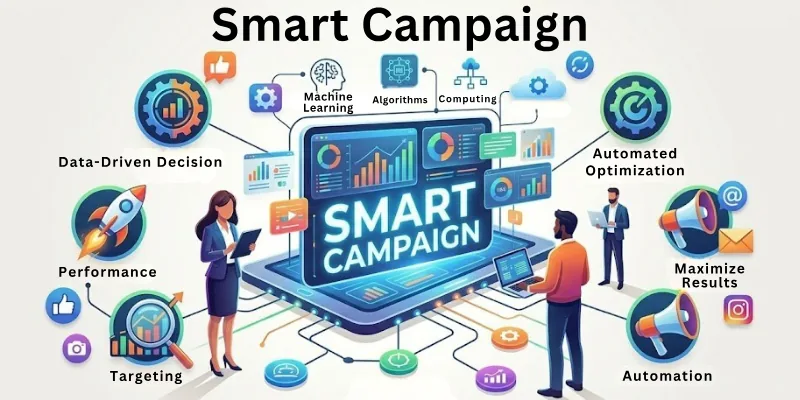
8. Smart Campaign
Smart Campaigns are simplified, automated campaigns for small businesses or beginners. Google chooses the best placements and optimizes ads automatically. It’s ideal for users who want results without managing complex settings.
- Who should use it: Small businesses, beginners, local service providers
- Main goal: Generate calls, leads, or website visits
- Where ads appear: Google Search, Display, Maps
- Best feature: Easy to set up and automated for quick results
- Tip: Provide clear business information and goals
Example: A local plumber can run a Smart Campaign to get more calls from nearby customers.
9. Local Services Ads
Local Services Ads help businesses connect with customers nearby. These ads appear at the top of search results with Google Guarantee, giving users confidence in the service. They focus on local leads rather than website clicks.
- Who should use it: Local service providers like electricians, cleaners, or salons
- Main goal: Generate local leads and calls
- Where ads appear: Google Search results, Maps
- Best feature: Shows Google-verified businesses with reviews
- Tip: Keep business hours, location, and licence info updated
Example: A cleaning service can appear at the top when someone searches for “house cleaning near me”.
Comparison of Google Ads Campaign Types
To help you choose the right campaign, here’s a quick comparison showing which Google Ads campaign works best for each goal:
| Goal | Best Google Ads Campaign Types |
| Sales | Search Campaign, Shopping Campaign, Performance Max Campaign |
| Brand Awareness | Display Campaign, Video Campaign, Demand Gen (Discovery) Campaign |
| App Installs | App Campaigns |
| Local Visits | Local Services Ads / Local Campaigns |
| Beginners | Smart Campaigns |
This table makes it easy for beginners to choose the right campaign based on their goal.
How to Choose the Right Google Ads Campaign
Picking the right campaign is very important. The right choice can save money and get better results. Here are some easy steps to help you decide:
- Goal: Think about what you want. Do you want more sales, website visits, phone calls, or just brand awareness? Your goal will guide your campaign choice.
- Audience: Who are you trying to reach? Understand their age, location, interests, and online habits.
- Budget: Don’t spend too much at first. Start small to see what works best.
- Test Campaign: Focus on one type, like Search or Display, before trying multiple campaigns. This helps you learn faster and improve results.
Tip: Track your results and adjust your campaign as you go. This way, you can spend your money wisely and get better results over time.
FAQs: Google Ads Campaigns Types
Here’s a quick frequently asked questions guide to help you understand Google Ads campaigns.
Google Ads offers several campaign types to help businesses reach customers online. The main types of campaigns include Search, Display, Video, Shopping, App, and Performance Max. Demand Gen (Discovery), Smart, and Local Services. Each type works differently depending on your goal and helps you run effective online campaigns.
For sales, the best advertising campaigns are:
- Search Campaigns – show ads when people actively search to buy.
- Shopping Campaigns – display product images and prices.
- As a component of a Google Ads PPC campaign strategy, Performance Max Campaigns are automated campaigns that run across several Google platforms.
To get more people to know your brand, you can use:
- Display campaigns – banners and visuals on websites.
- Video campaigns – storytelling on YouTube.
- Demand Gen (Discovery) campaigns – reach new audiences.
These are great Google ad options for brand visibility.
Yes! App campaigns are designed to increase app installs and engagement. Ads appear on the Play Store, YouTube, Google Search, and partner apps. This is one of the different types of campaign options that encourage users to download or use your app.
Local Services Ads help businesses connect with customers nearby. They appear at the top of search results and Google Maps with a Google-verified badge. This type of online campaign builds trust and brings more calls or visits.
Smart Campaigns are perfect for beginners.
- Google sets up and optimizes ads automatically.
- Great for small businesses or first-time advertisers.
- Helps you get leads, calls, or website visits without complex settings.
This is one of the easiest Google Ads PPC campaign options to start with.
Performance Max is an automated campaign showing ads across all Google networks. It uses AI to find the best placements and maximize results for sales, leads, or website traffic. Businesses provide assets, and Google decides where to show them. It’s one of the best advertising campaigns for multi-goal results.
No. Many businesses run more than one type at the same time. For example, you can combine Search Campaigns for sales and Display Campaigns for brand awareness. Using multiple Google Ads campaigns helps reach different goals effectively.
Ask yourself:
- What is my main goal – sales, traffic, awareness, app installs, or local visits?
- Which campaign type matches this goal?
- Can I start small and test one type first?
Following this guide helps you pick the right types of Google ad campaigns without guessing.
Yes. Google updates campaign types occasionally. Names or features may change, but the main purpose remains the same: helping businesses run effective online campaigns and reach their goals.
Conclusion
That’s all for now; let’s summarize. In this article, we’ve covered types of Google Ads campaigns in detail. Each campaign type has a unique role, and choosing the right one can save money and boost results.
If you’re a beginner, start small, test different campaigns, and grow step by step. Google Ads is powerful when used the right way.
Now it’s your turn! Try one campaign type, track your results, and grow your business with effective online campaigns.

- Be Respectful
- Stay Relevant
- Stay Positive
- True Feedback
- Encourage Discussion
- Avoid Spamming
- No Fake News
- Don't Copy-Paste
- No Personal Attacks
- Be Respectful
- Stay Relevant
- Stay Positive
- True Feedback
- Encourage Discussion
- Avoid Spamming
- No Fake News
- Don't Copy-Paste
- No Personal Attacks
