Advantages and Disadvantages of Google Analytics in 2026
Published: 20 Jan 2026
Over 50% of small businesses rely on Google Analytics to understand their website traffic. But is it really all good? The advantages and disadvantages of Google Analytics reveal both its power and its pitfalls.
On the plus side, it gives clear insights into visitor behaviour, page performance, and marketing results, helping you make data-driven decisions.
On the downside, beginners may feel overwhelmed by the many reports and technical settings.
Understanding both benefits and limitations ensures you use it effectively, track what matters, and avoid common mistakes that waste time or mislead your strategy.
Advantages of Google Analytics
Google Analytics is one of the most widely used tools in digital marketing. It gives businesses a clear picture of what is happening on their website. With this information, marketers can make better decisions, improve campaigns, and understand their customers more deeply.
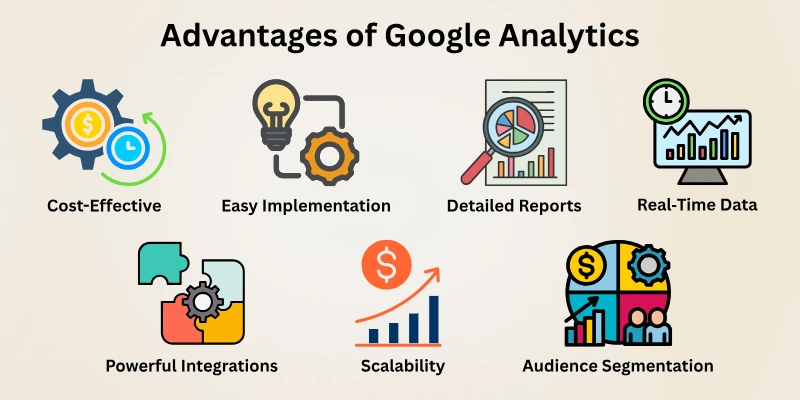
Here are the key benefits of Google Analytics:
- Free and Cost‑Effective
- Easy Implementation
- Detailed Reports and Insights
- Real‑Time Data
- Powerful Integrations
- Customization and Scalability
- Audience Segmentation & Deep Behavioral Insights
Let’s discuss the pros of Google Analytics in detail.
1. Free and Cost‑Effective
Google Analytics is free for most users, yet it offers powerful features that businesses would otherwise pay for. This makes it a great choice for small companies, startups, and even large organizations who want to track performance without spending money.
Its free access allows businesses to start analyzing data immediately without worrying about subscriptions or licenses.
- No cost for the standard version, making it accessible to everyone.
- Gives almost all necessary insights without upgrading to premium.
- Allows businesses to save money for other marketing strategies.
- Even large websites can get basic but meaningful data for free.
2. Easy Implementation
Even beginners can start using Google Analytics without much technical knowledge. Setting it up takes only a few steps, and once installed, it starts collecting data immediately. Its simplicity ensures that businesses don’t waste time struggling with complicated configurations.
- Install a small tracking code on your website and start tracking.
- Works smoothly with popular website platforms like WordPress, Shopify, and Wix.
- No need for expensive developers or extra tools for setup.
- Simple setup allows anyone to start collecting data in minutes.
3. Detailed Reports and Insights
Google Analytics organizes complex data into clear, understandable reports. It shows what visitors do, where they come from, and which pages perform best. This level of detail helps marketers make informed decisions rather than guessing.
- Audience Reports: Know visitors’ age, location, and interests.
- Acquisition Reports: Find out how users reach your website, whether through Google search, social media, or ads.
- Behaviour Reports: See which pages visitors like the most and how long they stay.
- Conversion Reports: Track actions like purchases, signups, or downloads.
- Helps improve content, website design, and marketing campaigns.
4. Real‑Time Data
One of the best features of Google Analytics is that it shows what is happening on your site right now. You can see live visitor activity, which pages they are visiting, and which campaigns are driving traffic. This helps businesses respond quickly to trends or problems.
- Check how many users are on your website at any moment.
- See which pages are getting attention in real time.
- Understand the immediate effect of marketing campaigns.
- Allows businesses to act fast if something is not performing as expected.
5. Powerful Integrations
Google Analytics works well with other tools, which makes it more powerful. By connecting GA with ads, SEO tools, or email platforms, marketers get a complete view of their marketing efforts. This integration helps save time and provides deeper insights.
- Connects seamlessly with Google Ads to measure ad performance.
- Works with Google Search Console to improve SEO efforts.
- Can integrate with email marketing and CRM systems.
- Allows businesses to combine all data in one place for smarter decisions.
6. Customization and Scalability
Google Analytics is flexible and can be customized for any business size. Beginners can start with basic reports, while advanced users can create detailed dashboards and track multiple goals. This makes it easy to grow with your business without changing tools.
- Build custom dashboards to focus on the metrics that matter most.
- Set goals and events to track sales, signups, or downloads.
- Advanced users can create complex reports tailored to their needs.
- Scales easily from small blogs to large e-commerce sites without losing functionality.
7. Audience Segmentation & Deep Behavioral Insights
Understanding visitors is more than just counting numbers. Google Analytics lets you divide your audience into groups and see how each behaves. This makes marketing more precise and effective, helping businesses target the right people with the right message.
- Segment visitors by location, device, behaviour, or traffic source.
- Identify high-value users who are most likely to convert.
- Track which pages or campaigns work best for each segment.
- Helps marketers plan better campaigns and improve user experience.
Disadvantages of Google Analytics
While Google Analytics is powerful, it’s not perfect. Understanding its limitations helps businesses use it more effectively. Some challenges are related to data accuracy, complexity, and privacy, which can impact how marketers make decisions.
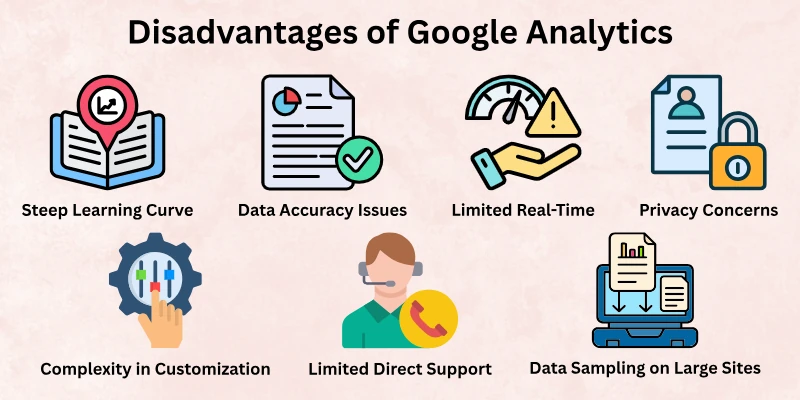
Here are the main cons of Google Analytics:
- Steep Learning Curve
- Data Accuracy Issues
- Limited Real-Time and Historical Data
- Privacy and Compliance Concerns
- Complexity in Customization
- Dependency on Google Ecosystem
- Limited Direct Support for Free Users
- Data Sampling on Large Sites
Let’s cover all the disadvantages of Google Analytics.
1. Steep Learning Curve
Although GA is beginner-friendly to set up, understanding all its reports and features can be challenging. New users may feel overwhelmed by the volume of data, charts, and metrics. Learning how to interpret data correctly takes time and practice.
- Beginners might struggle to read reports and extract meaningful insights.
- Many features require training or tutorials to use effectively.
- Misinterpretation of data can lead to wrong business decisions.
- Advanced tracking setups, like events and goals, can be confusing without guidance.
2. Data Accuracy Issues
Google Analytics relies on tracking codes and cookies, which means the data can sometimes be incomplete or inaccurate. This is especially true when visitors use ad blockers or disable JavaScript.
- Users with ad blockers or privacy tools may not be tracked.
- Some browsers block cookies, which affects visitor counts and behaviour tracking.
- The numbers might not always reflect the exact audience size or actions.
- Data errors can mislead marketers if not cross-checked with other sources.
3. Limited Real-Time and Historical Data
While GA offers real-time tracking, there are limitations. Historical data may be sampled or delayed, which can affect decision-making for large websites or fast-moving campaigns.
- Real-time data only shows current visitors, not past trends.
- Historical data may be sampled on high-traffic websites, reducing accuracy.
- Businesses cannot always get full unsampled reports without a paid version.
- Quick decisions may sometimes rely on incomplete data.
4. Privacy and Compliance Concerns
Collecting user data always comes with responsibility. Google Analytics tracks visitors’ behaviour, which can raise privacy issues under laws like GDPR or CCPA.
- Websites must obtain consent for tracking visitors.
- Improper configuration can lead to legal compliance issues.
- Some users may opt out of tracking, reducing the amount of data collected.
- Businesses must constantly update policies to meet changing regulations.
5. Complexity in Customization
GA can be customized to track almost anything, but this flexibility can also be a drawback. Advanced customization often requires technical knowledge.
- Creating custom reports and dashboards can be time-consuming.
- Setting up events, goals, and funnels requires some technical skills.
- Mistakes in configuration can lead to incorrect or missing data.
- Beginners may need external help or training to fully utilize GA.
6. Dependency on Google Ecosystem
Google Analytics works best when combined with other Google products like Ads or Search Console. This dependency can limit flexibility for businesses that use non-Google tools.
- Heavy reliance on Google tools may restrict flexibility.
- Some integrations with third-party platforms may require extra setup.
- Businesses outside the Google ecosystem might find limited usefulness.
- Switching to a different analytics tool later may be difficult because data formats differ.
7. Limited Direct Support for Free Users
The free version of Google Analytics is robust, but direct support is limited. Most users rely on online guides, forums, or community support for troubleshooting.
- Free users cannot contact Google support directly for most issues.
- Solutions often require searching forums or tutorials, which can be time-consuming.
- Paid versions offer priority support, but this adds cost.
- Small mistakes can take longer to fix without professional guidance.
8. Data Sampling on Large Sites
When a website receives a very high volume of traffic, Google Analytics may use sampling to process data faster. While this speeds up reports, it can reduce accuracy.
- Sampling can cause numbers to differ from actual data.
- Important decisions may be based on approximate figures.
- High-traffic e-commerce sites may need premium solutions for precise data.
- Businesses relying heavily on exact metrics might find this limiting.
Why Google Analytics is Important?
Google Analytics is a powerful tool that shows how people find and use your website. For realtors and businesses, it helps track traffic, user behaviour, and which marketing efforts are working.
By understanding these insights, you can make smarter decisions, improve your website, and attract more qualified leads.
- Track website visitors: See where your audience comes from—search engines, social media, or direct links.
- Measure marketing effectiveness: Know which campaigns bring the most traffic and leads.
- Understand user behaviour: Identify which pages get attention and where visitors drop off.
- Improve strategies over time: Use data to refine your content, email campaigns, and overall marketing plan.
Google Analytics turns numbers into actionable insights, helping you grow your business efficiently.
Final Words
In this guide, we have covered the advantages and disadvantages of Google Analytics. Every tool has its strengths and weaknesses, and Google Analytics is no different.
To manage its limitations, focus on the features that directly help your goals and take time to understand reports gradually. This balance will let you use it effectively while avoiding mistakes. I hope this guide helps you make better data-driven decisions.
Keep learning, and don’t skip the next part of the FAQs. I hope you will find something more interesting, so don’t miss it. If you miss it, you may lose something new.
FAQs: Google Analytics Pros and Cons
Here are some common questions about the advantages and disadvantages of Google Analytics.
Google Analytics is a free tool that shows how people visit and use your website. It helps you see traffic, page views, and visitor behaviour so you can improve your site. Many businesses use it to make smarter decisions about content and marketing.
The biggest benefit of Google Analytics is that it gives you detailed insights on your website visitors without costing anything. You can see where visitors come from and what they do on your site.
Google Analytics gives useful data, but it may not be perfectly accurate. Tools like ad blockers or blocked cookies can make the numbers lower or incomplete.
Some users may find Google Analytics hard to use at first. It has many features and reports that can seem confusing without practice.
Google Analytics helps you spot which pages work well and which need fixing. You can also see where visitors leave your site and improve those pages to grow your traffic.
Google Analytics is great for tracking user data and behaviour, but you might still need other tools for heatmaps or detailed user interaction tracking.






- Be Respectful
- Stay Relevant
- Stay Positive
- True Feedback
- Encourage Discussion
- Avoid Spamming
- No Fake News
- Don't Copy-Paste
- No Personal Attacks
- Be Respectful
- Stay Relevant
- Stay Positive
- True Feedback
- Encourage Discussion
- Avoid Spamming
- No Fake News
- Don't Copy-Paste
- No Personal Attacks
